Examples
nRF Connect
Note
The profile for nRF Connect application is in
bleico repo under
examples/nRF_Connect directory
Put bletag_profile.xml in the mobile device and load the profile in
Configure GATT server option
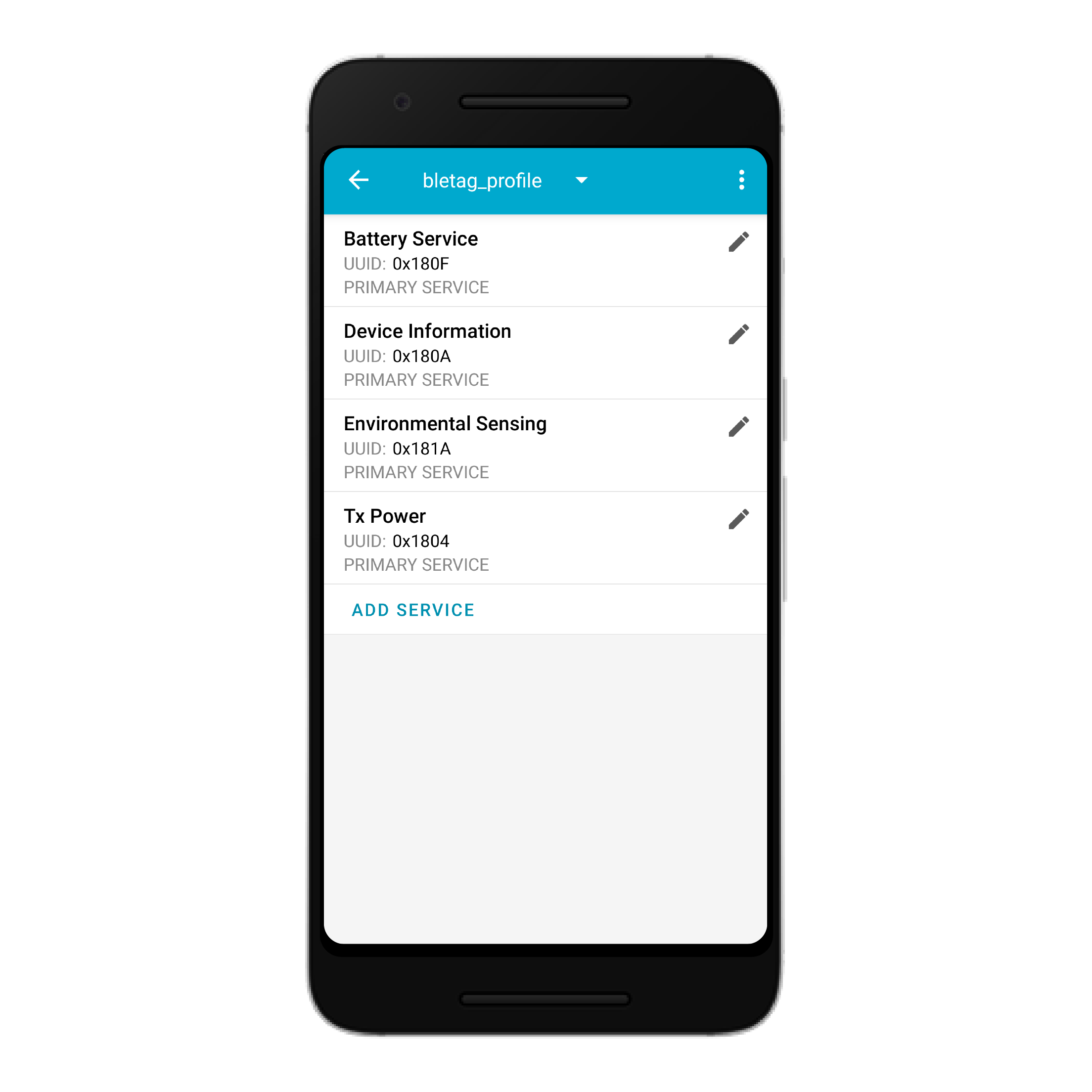
This example demonstrates a simple ble tag peripheral with the following structure:
Device Local Name: [MOBILE DEVICE]
Services:
- Device Information:
- Appearance
- Manufacturer Name String
- Model Number String
- Firmware Revision String
- Battery Service:
- Battery Level
- Battery Power State
- Environmental Sensing:
- Temperature
- Sensor location
- Tx Power:
- Tx Power Level
Enable the Advertiser and edit the advertising packet to set the
Display Name, Advertising Data, Scan Response Data
and check Connectable in options. Finally toggle advertising and run bleico.
When the connection is established, next to advertiser will appear the Connected device (Central) and under Server, Characteristics values can be modified 🖊️ or notifications/indications ⬆️ can be sent to the client.
Warning
Be aware to write the values in the right format, otherwise data will appear as invalid, bleico will raise a wrong format error and a question mark (‘?’) will be shown instead.
Esp32 (MicroPython)
Note
The script for this example is in
bleico repo
under examples/micropython_esp32 directory
This example demonstrates a simple temperature sensor (esp32 cpu temperature) peripheral with the following structure:
Device Local Name: esp32-batt-temp
Services:
- Device Information:
- Appearance
- Manufacturer Name String
- Model Number String
- Serial Number String
- Firmware Revision String
- Hardware Revision String
- Software Revision String
- Battery Service:
- Battery Level
- Battery Power State
- Environmental Sensing:
- Temperature
- Temperature Range
Connected Mode:
The sensor’s local value updates every 30 seconds. When Battery Level is over 90 % or under 10 % it notifies the Client with the Battery Power State
Energy Save Mode:
To save Battery power, it will advertise for 30 seconds, if there is no connection event, it will enter into deep sleep for 60 seconds. If there is a connection event, it will enter the Connected Mode and if there is a disconnection event, it will enter into Energy Save Mode.
Once BLE_Battery_Temp class is initiated it will enter the Energy Save Mode.
Note
Battery Level and Temperature values are averaged over the
previous 30 samples
Put ble_batt_cputemp.py in the device and add this in main.py :
import bluetooth
from ble_batt_cputemp import BLE_Battery_Temp


ble = bluetooth.BLE()
ble_temp_batt = BLE_Battery_Temp(ble)
Warning
The board used for this example is the Adafruit feather huzzah32 . If using a different board, the ADC pin for battery readings should be adapted.